Built for everyday food operations
Keep every order moving, from kitchen prep to delivery and repeat customers.
Delivora helps restaurants, cloud kitchens, tiffin sellers and society popup sellers capture orders, organise preparation, create delivery bags, track payments and build repeat customer history — without juggling WhatsApp, notebooks and spreadsheets.
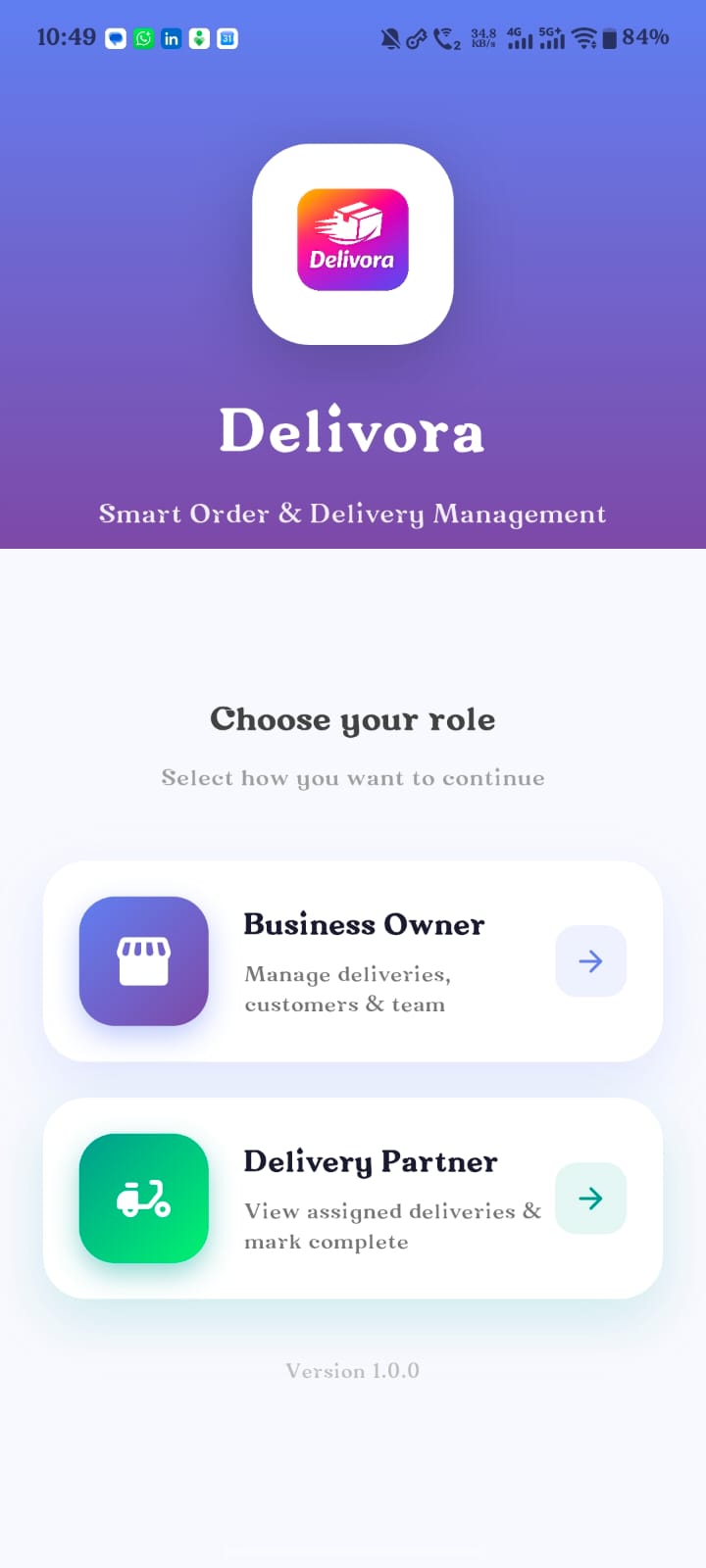

Who Delivora is built for
Use Delivora for the practical work around every order: AI-assisted intake, kitchen stages, direct delivery bags, society routes, customer records, item management and invoices.
For restaurants & cloud kitchens
Capture orders, move them through prep, assign delivery and keep payment history visible.
AI scan for order intake
Support WhatsApp screenshots, paper lists, images or Excel-style order sheets before confirmation.
Delivery bag without full order flow
Start with a bag, route, society and delivery person when that is all the team needs.
Society route optimisation
Group deliveries by society, tower and delivery person so delivery boys get practical routes.
Items, customers and invoices
Maintain reusable items, customer details and invoice-ready order records in one place.
See product features
Open the Product page for the full feature flow and screenshots.
DIFFERENT WAYS TO START
However the work begins, Delivora keeps it connected.
Start with a regular order, a campaign, a bulk intake or a delivery-only bag. Each path can move into the operational steps it needs.
Regular Order
Create a customer order and manage preparation, delivery and payment.
Campaign / Popup
Collect many customer orders for a special, popup or society sale.
→
Delivora
Connected operational work
←
Bulk Intake
Bring in WhatsApp images, paper sheets, Excel or manual bulk work.
Delivery-Only Bag
Track a delivery bag without forcing a complete customer-order workflow.
ONE CONNECTED OPERATION
Different starting points. One practical operating flow.
Order / Campaign / Bulk Intake / Delivery Bag
Capture or organise the work.
→
Preparation & Packing
Move through clear kitchen stages.
→
Delivery Assignment & Route
Group, sequence and assign delivery work.
→
Payment & Customer History
Keep collections, dues and history connected.
PRODUCT MODULES
The operational pieces stay connected.
Orders & Bulk Intake
Manual orders, scanned inputs, WhatsApp images, Excel and review before confirmation.
Campaigns & Popup Sales
Customer-wise quantities, delivery, payment and preparation across one campaign.
Kitchen & Packing
Regular and campaign work through waiting, preparing, ready, packed and dispatched.
Delivery Operations
Delivery bags, order links, society grouping, route sequence, assignment and proof.
People, Collections & Payouts
Delivery-person work, customer collection, payout and cash handover as separate records.
Customers, Ledger & Master Data
Reusable items, customers, societies, delivery people and operational settings. Ledger coming soon.
The everyday reality
Running a food business shouldn’t mean managing five different systems.
Orders arrive everywhere
WhatsApp, phone calls, paper notes and screenshots.
Who has paid?
Pending balances, COD and partial payments are easy to forget.
Where is the order?
Preparation, packing and delivery status are often tracked manually.
Customer history gets scattered
Past orders and dues get buried across chats and notebooks.
One practical view
See the whole operation in one place.
Orders · Preparation · Delivery · Payments
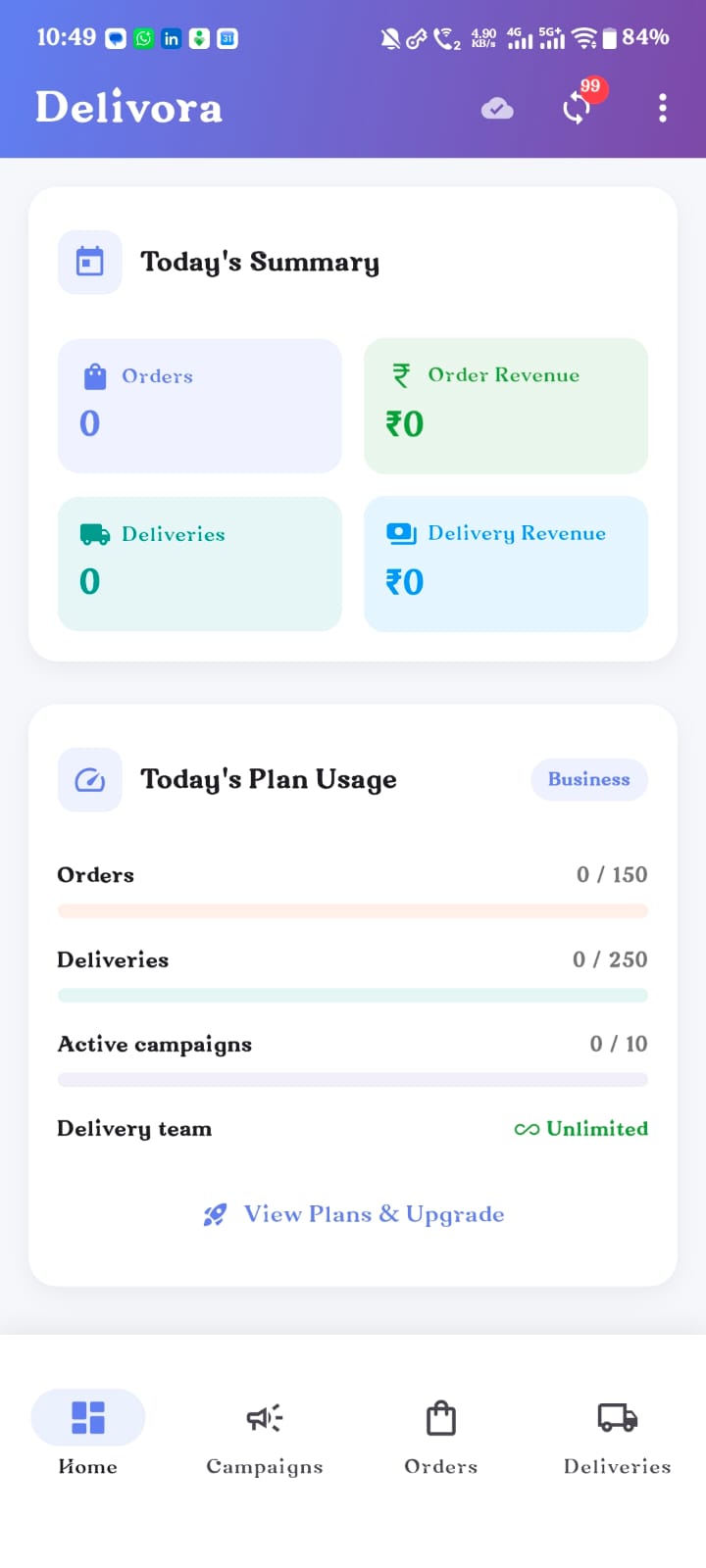
Dashboard

Orders
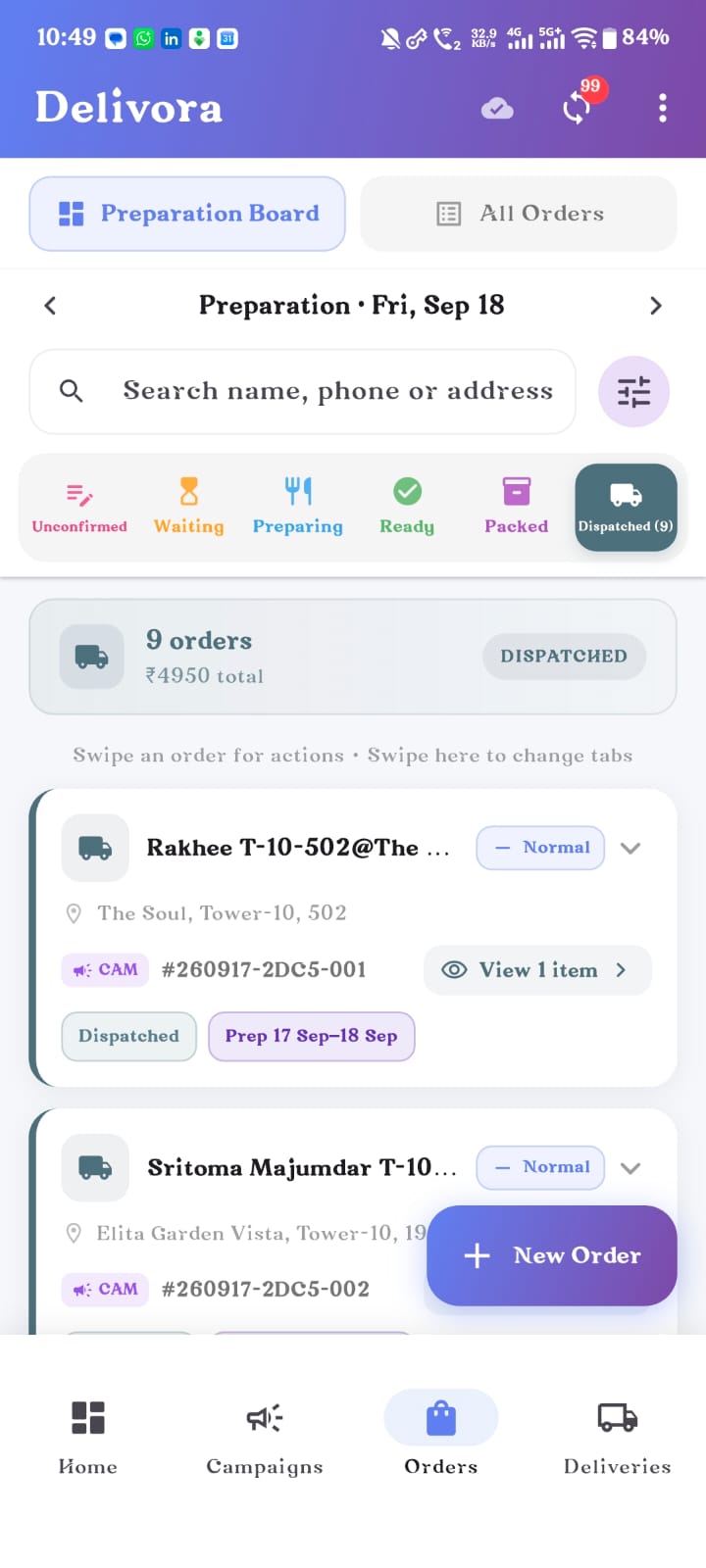
Preparation board
CAMPAIGNS & POPUP ORDERS
One kitchen flow for regular and campaign work.
Create a campaign, collect multiple customer orders and track each customer separately. Keep quantities, address, payment and delivery details clear. Follow preparation across the complete campaign and retain customer history after it ends.
Customer-wise quantities · Delivery handling · Payment status · Campaign preparation
BULK INTAKE
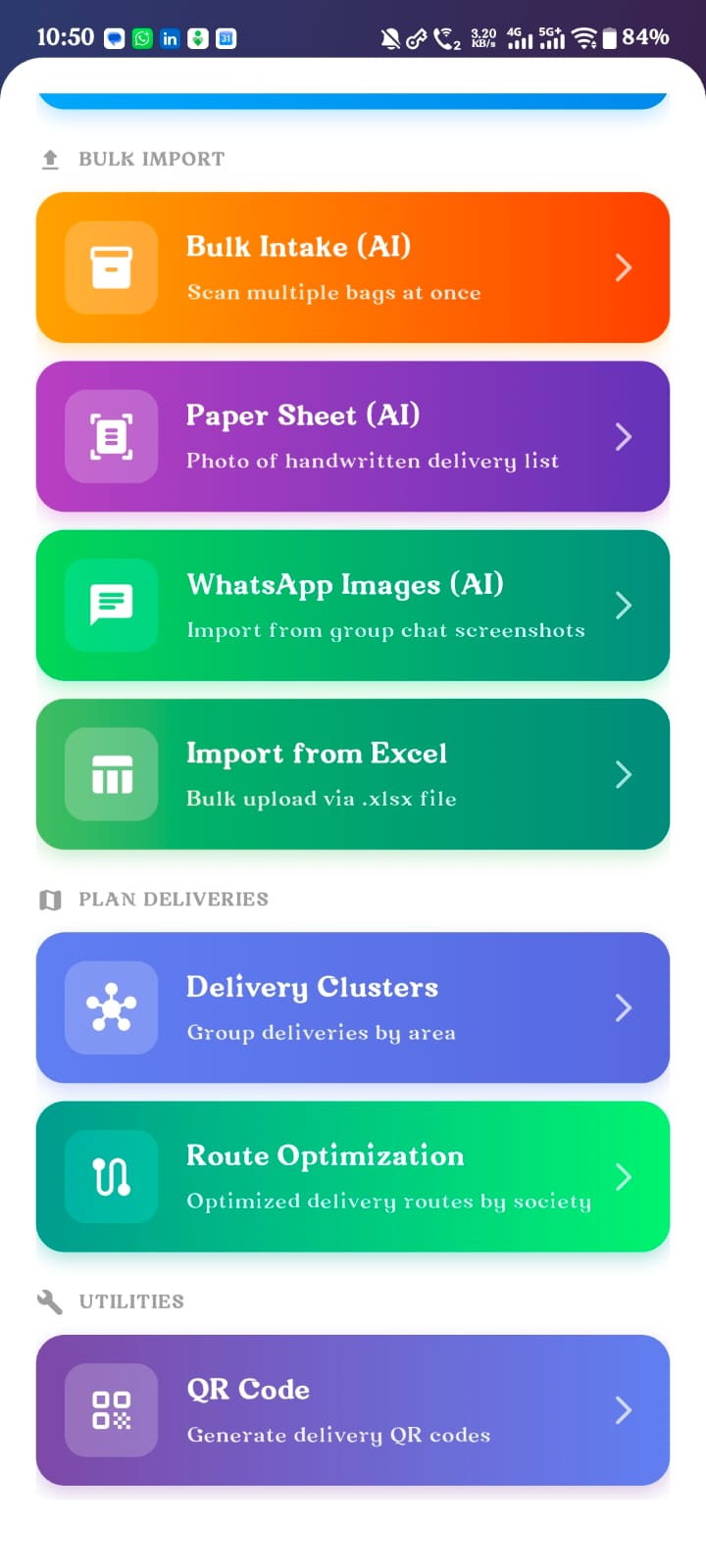
Turn a pile of orders into organised work.
Bring in WhatsApp images, paper sheets, image/OCR inputs, Excel files or manual bulk entry. Delivora assists with extraction. You review the customer, item, quantity, price, payment and delivery details before confirmation.
Assisted intake → User review → Confirmed work
Order capture
However the order arrives, bring it into Delivora.
Create orders manually, import in bulk, or use WhatsApp screenshots and paper images to assist entry. Delivora helps extract the details; you stay in control and review them.
Manual orders · WhatsApp screenshots · Paper scans · Bulk import

Preparation & packing
Know what is waiting, preparing, ready and packed.
Move regular orders and campaign orders through one clear kitchen flow, without losing customer or campaign context.
Unconfirmed → Waiting → Preparing → Ready → Packed → Dispatched
Delivery management
Plan delivery bags, routes and delivery work in one place.
Create delivery-only bags or order-linked deliveries. Schedule work, group by society, optimise the sequence, assign a delivery person, open address context and track proof, completion and unpaid records.

DELIVERY-PERSON MANAGEMENT
Give every delivery person a clear list of what to deliver and collect.
Maintain delivery-person records, assign work and provide a role-based delivery workspace. Each person can see the assigned list, customer and address details, change delivery status, record collection amount and attach payment proof.
Three different records stay separate
Customer payment · Delivery-person payout · Cash handed back to the business

DELIVERY BOY MANAGEMENT
Separate delivery-boy login
Each rider sees a simple role-based view made for field work, not the full business dashboard.
Assigned deliveries only
Keep lists clean with delivery status, amount collection, address and proof workflows in one place.
Call, WhatsApp and navigate
Give delivery boys quick action buttons so they can contact customers and reach the right location faster.
Owner keeps control
Owners can assign, monitor and reconcile customer payments, rider payouts and cash handover separately.

Payments & customer history
See the order, payment and customer history together.
Track paid, partial, COD, balance due, refund due and delivery collections beside the customer’s previous orders. Customer Ledger is coming soon.
Paid · partial · COD · balance due
Delivery collection stays linked to the order
Customer Ledger — Coming soon
Refund due · payment timeline · customer balance
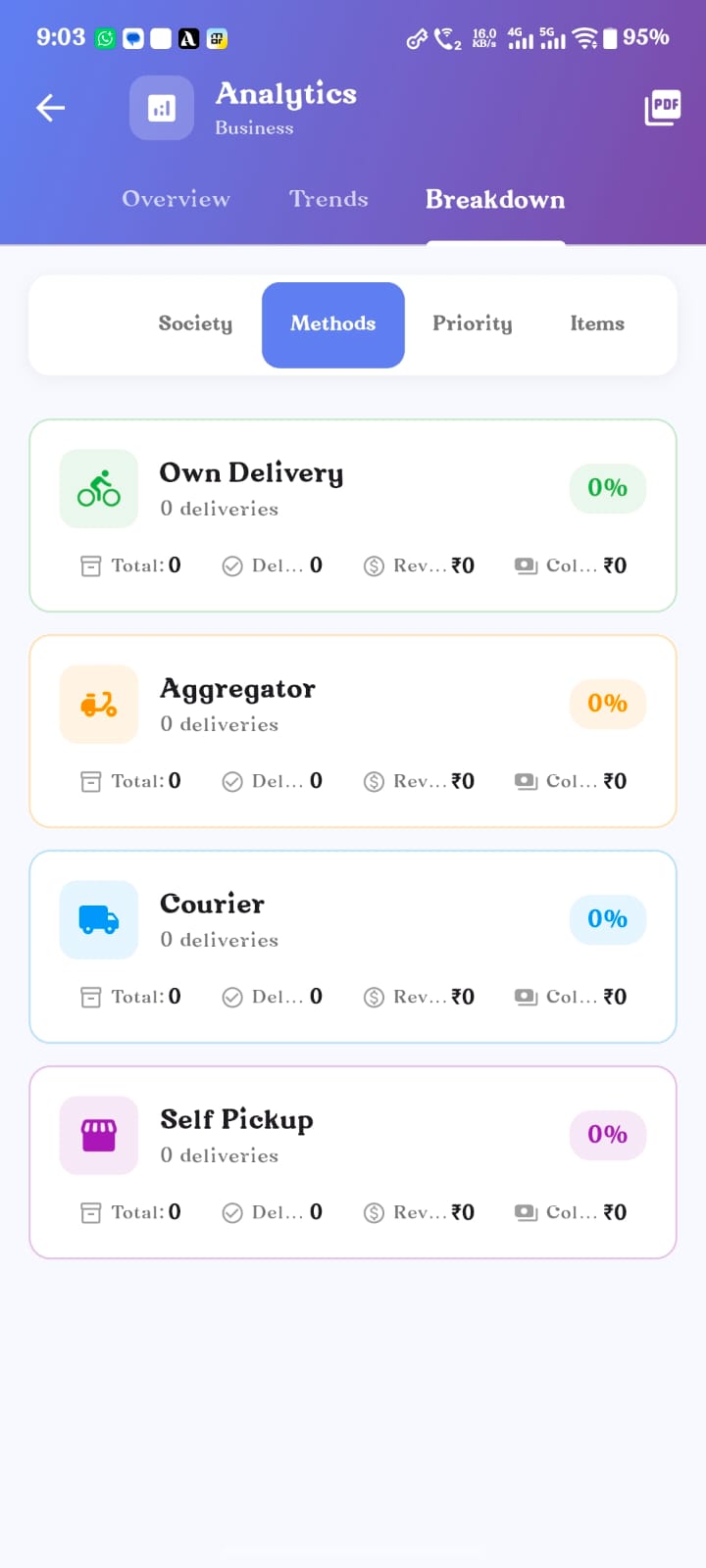
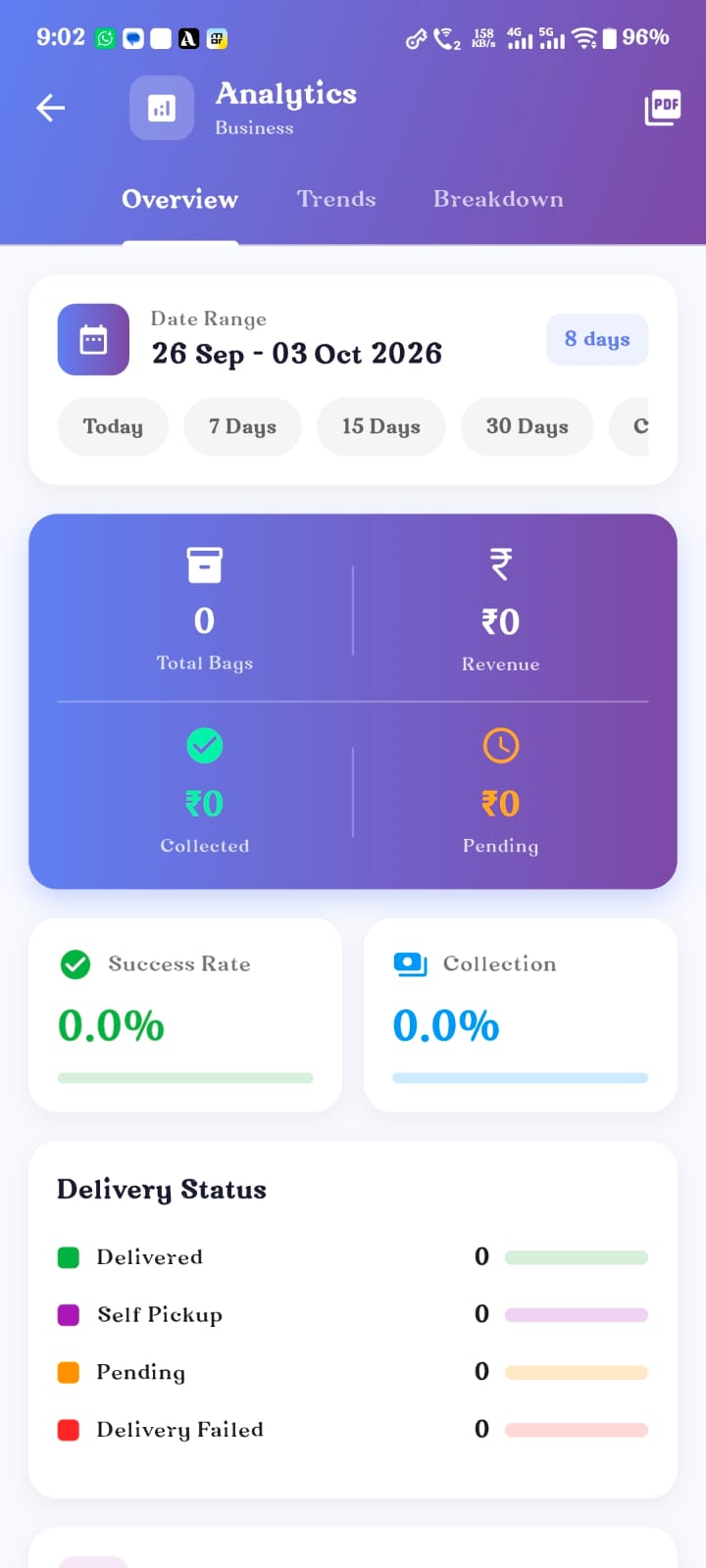
ANALYTICS
Trends
Breakdowns
Campaign view
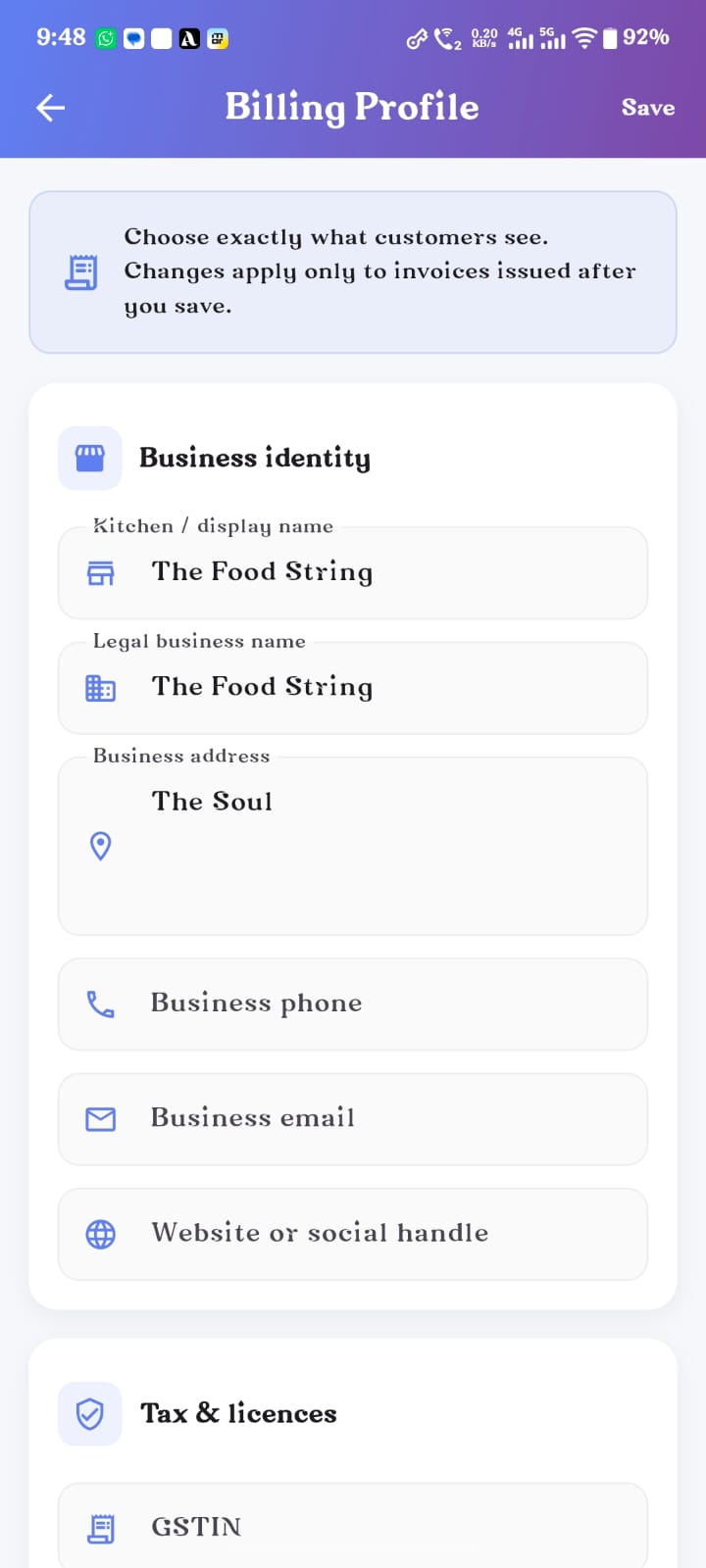
BUSINESS PROFILE & TAXES
Business profile
GSTIN
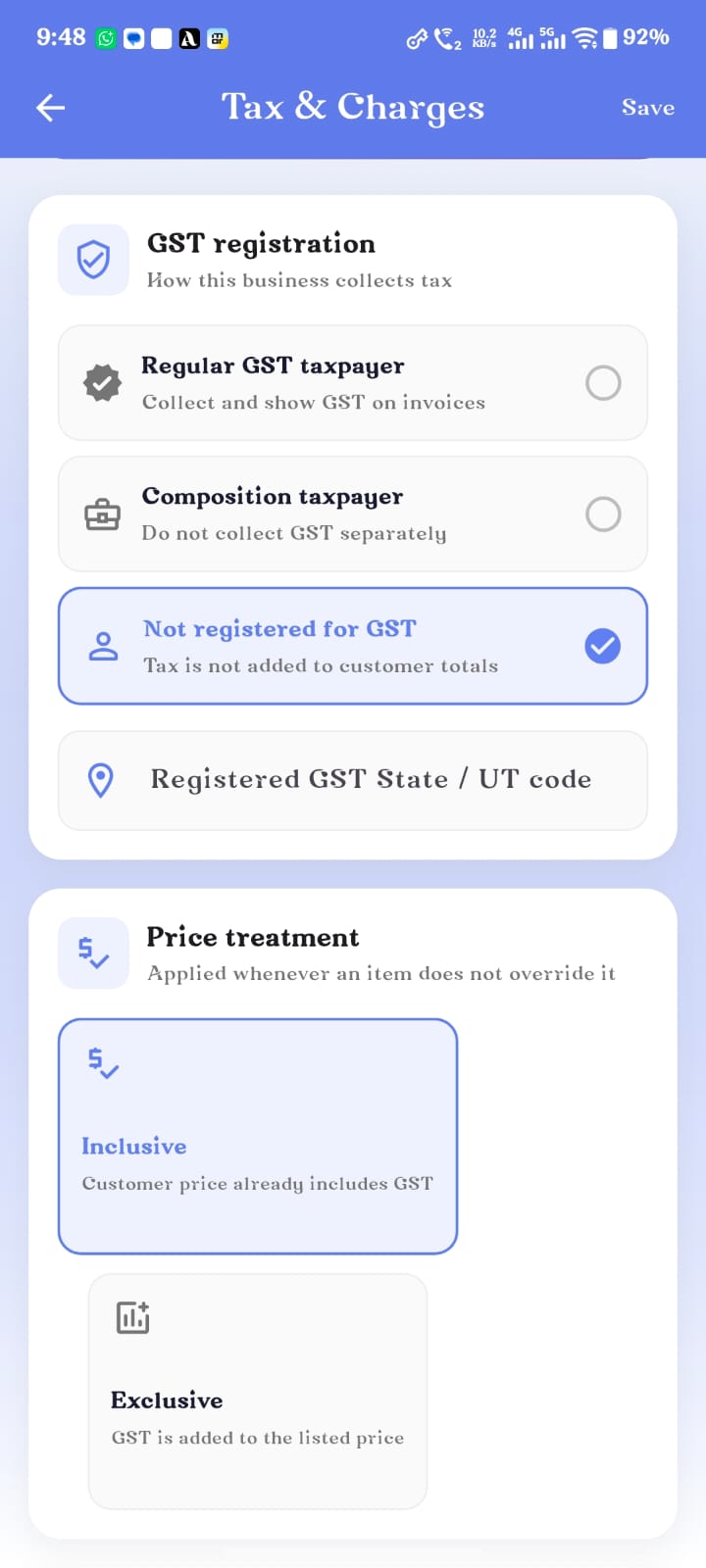
Tax settings
Invoice-ready details
Business identity
Save business name, phone, address and profile information so the operation has one trusted source.
GSTIN and tax fields
Keep GSTIN and tax configuration close to orders, invoices and payment records.
Bill-ready setup
Prepare customer-facing documents with the right business details already available.
Reusable master data
Avoid repeating setup work whenever new orders, customers or campaign bills are created.
MASTER DATA
Set it up once. Reuse it everywhere.
The same operational foundation supports Orders, Campaigns, Delivery and Payments.
Items
Item name, unit or quantity type, default price, availability, search and selection.
Customers
Phone, address, society, tower, flat, order history and payment context.
Delivery People
Person details, role and access, assignment and payout-related configuration.
Business Configuration
Societies, addresses, delivery rates, payment methods, customer charges and supported tax or billing profiles.
Offline-first
Your work should not stop when the internet does.
Save work locally, continue during weak connectivity and sync safely later. Delivora helps avoid duplicate retry behaviour so operational work stays available during network problems.
Saved on this device
Syncs when connectivity returns
Made for the way you work
Restaurant
Capture dine-in, takeaway and delivery orders while tracking kitchen stages, payments and repeat customers.
Home Baker
Campaigns, custom orders, preparation, payment and delivery.
Cloud Kitchen
Order intake, kitchen stages, delivery assignment and collections.
Tiffin Seller
Recurring customer work, delivery grouping and pending payments.
Society Popup Seller
Campaigns, bulk orders, society routing and customer-wise payment.
Small Delivery Team
Assignment, society route optimisation, delivery status and collection.
A simple everyday flow.
01
Capture or import the work
Order, campaign, bulk intake or delivery bag.
02
Prepare & pack
Move regular and campaign work through kitchen stages.
03
Assign & deliver
Group routes, assign a delivery person and complete the work.
04
Track payment & customer history
See collection, due and previous order information.
Request Early Access
Talk to Us
Questions, answered simply.
Does Delivora work during poor internet connectivity?
Can I manage campaign or popup orders?
Can I track customer dues?
Can I import many orders together?
Can I manage delivery people?